11 best live chat software for customer support (2026)
Live chat software helps businesses deliver fast, personalized, and secure support across their customers' favorite channels. Try the best solution today.



Jeremy Korman
Group Manager, Product Marketing
Last updated October 14, 2026
A guide to the 11 best live chat software of 2026
Customers expect fast, personalized support across every channel. According to the latest Zendesk CX trends report, 74% of consumers say they expect customer service to be available 24/7. Live chat software gives businesses a way to meet those expectations with real-time support, AI-powered automation, and connected customer context.
In this guide, we compare 11 of the best live chat software options for customer support and explain how to choose the right solution for your team.
Key takeaways
|
More in this guide:
- What is live chat software?
- How does live chat software work?
- Quick comparison: Live chat software
- Best live chat software for different business needs
- The 11 best live chat software for customer service
- What features should live chat software include?
- What are the benefits of using live chat software?
- How to choose the right live chat software
- Frequently asked questions
What is live chat software?
Live chat software is a customer service tool that allows businesses to communicate with customers in real time through a website, mobile app, or messaging channel. It helps teams manage conversations, route questions, automate common requests, and provide personalized support from one centralized workspace.
How does live chat software work?
Live chat software works by connecting a chat widget or messaging channel to a customer service platform. Conversations can then be routed to an AI agent or human agent, while customer history and context remain available throughout the interaction.
To set up functioning live chat support:
- Add a chat widget to your website, app, or help center.
- Connect live chat with your customer service platform.
- Set up intelligent automation to route tickets based on intent, language, availability, or skill.
- Use AI agents and automation to resolve common questions. Train them on live chat best practices.
- Escalate complex issues to human agents with full conversation context.
- Track performance through reporting and customer feedback.
Live chat widgets can be embedded into other systems, including customer relationship management (CRM) software and email platforms, to provide real-time communication options to all users.
Quick comparison: Live chat software
Our comparison chart breaks down the top live chat software options by starting price, free trial length, and what it’s best for.
Software | Best for | Starting price | Free trial |
Zendesk | Automated resolutions across multiple channels | $19 per agent/month (billed annually) | 14 days |
LiveChat | Website-based chat | $20 per person/month (billed annually) | 14 days |
LiveAgent | Small teams needing chat and voice | $0 per month (basic features) | 14 days or 30 days |
tawk.to | Free live chat | Free (paid add-ons available) | Not applicable |
Re:amaze | Ecommerce support | $13.05 per team member/month (billed annually) | 14 days |
Tidio | Small teams using chatbots | Free for individuals or $24.17 per month (billed annually) | 7 days |
Hubspot | HubSpot CRM users | $15 per agent/month | 14 days |
Olark | Simple website chat | $29 per month | 14 days |
ProProfs Chat | Basic chat and lead capture | $19.99 per operator/month | 15 days |
Pure Chat | Entry-level live chat | $39 per month | 30 days |
Intercom | Messaging-first support | $39 per seat/month | 14 days |
Best live chat software for different business needs
The best live chat software depends on your team size, support channels, automation needs, and customer service goals. The options below represent common solutions for different business requirements.
- Zendesk: Best for AI-powered omnichannel customer service
- LiveChat: Best for website-based chat
- LiveAgent: Best for small teams needing chat and voice
- Tawk.to: Best for free live chat
- Re:amaze: Best for ecommerce support
- Tidio: Best for small teams using chatbots
- Hubspot: Best for HubSpot CRM users
- Olark: Best for simple website chat
- ProProfs Chat: Best for basic chat and lead capture
- Pure Chat: Best for entry-level live chat
- Intercom: Best for messaging-first support
The 11 best live chat software for customer service
Learn more about some common live chat apps to make the most out of live chat and see which one is right for your business needs.
1. Zendesk
Best for AI-powered omnichannel customer service
Starting price | Free trial | Key features |
|
$19 per agent/month billed annually Explore more Zendesk pricing plans. | 14 days |
|
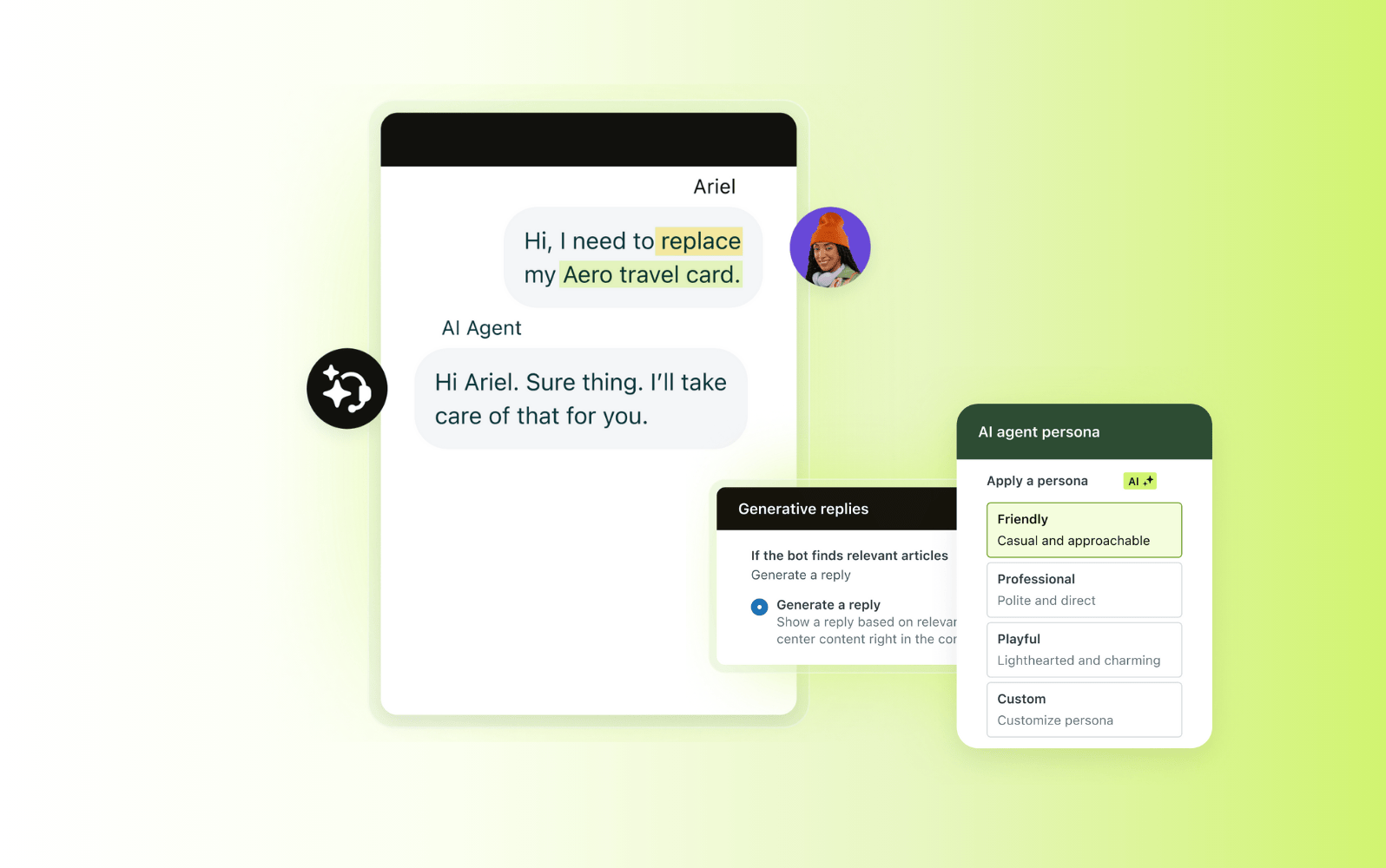
Zendesk resolves more than 30% of chat and email interactions with AI agents before a human agent is needed, using knowledge already available in your help center. Live chat is part of Zendesk Messaging alongside voice, email, and social channels, so agents have access to conversation history and customer context when an interaction is escalated.
Starting at $19 per agent per month when billed annually, Zendesk includes AI agents and automation, omnichannel routing, a unified agent workspace, real-time reporting, self-service tools, and more than 1,700 app integrations. Teams can also support customers across channels including WhatsApp Business messaging and business text messaging.
Pros | Cons |
|
|
What people are saying:
- “Zendesk streamlines support with flexible automation and clear reporting. It makes customer service smoother, more efficient and less chaotic for both agents and customers.” – Verified user, G2 review.
- “Zendesk is user-friendly and consolidates all customer requests in a single location. Its automation features, macros, and ticket management tools enable teams to respond more quickly and maintain organization.” – Verified user, G2 review
- “One of the biggest advantages [of Zendesk] is its multi-channel support, allowing us to manage emails, chats, and calls from one unified platform. The automation features, such as triggers and macros, help streamline repetitive workflows and boost efficiency.” – Verified user, G2 review

See how Zendesk enables automated resolutions across multiple channels
It only takes 30 seconds.
2. LiveChat
Best for website-based customer conversations
Starting price | Free trial | Key features |
$20 per person/month (billed annually) | 14 days |
|
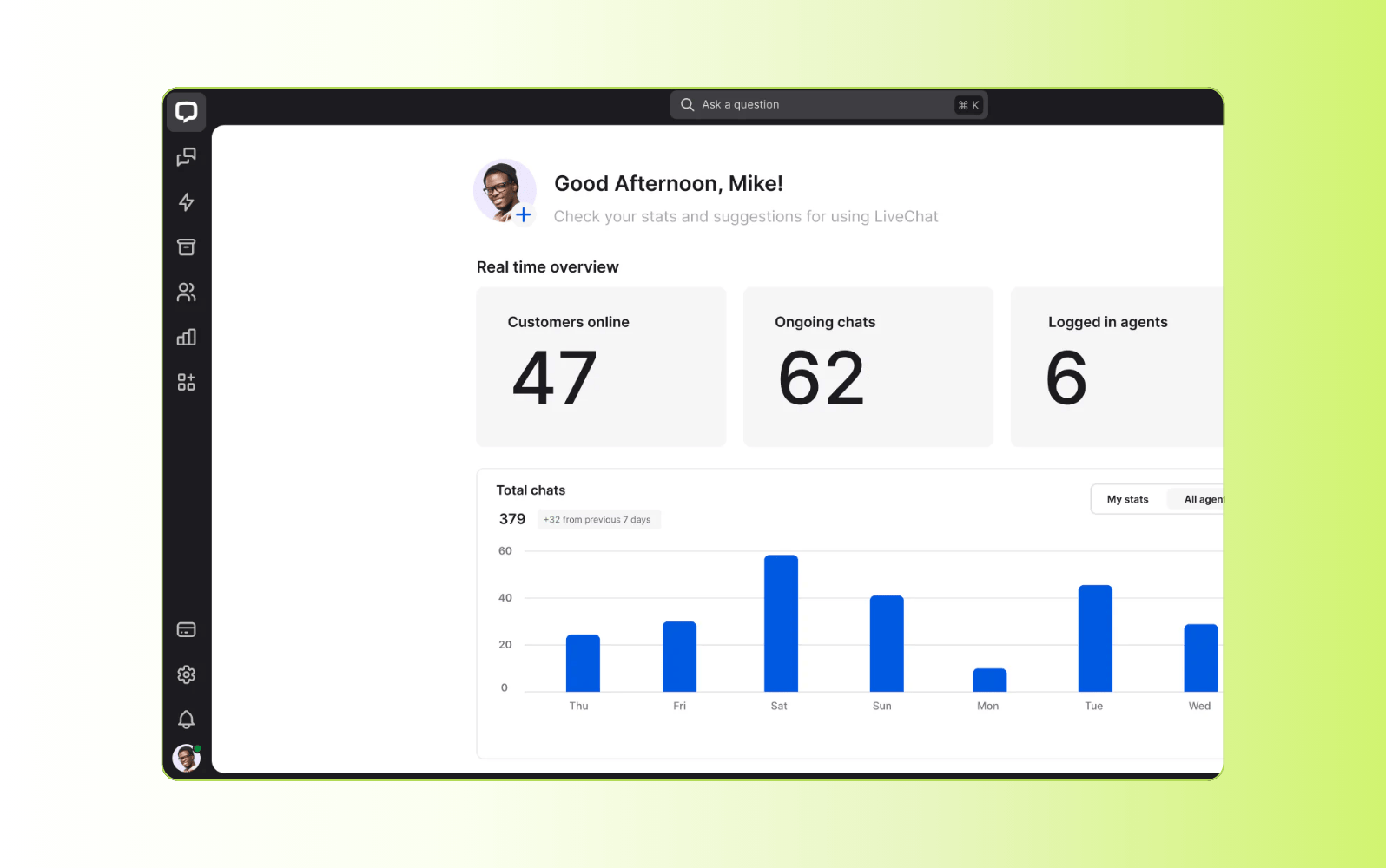
LiveChat is a live chat platform focused primarily on website-based customer conversations. It includes chat routing, queues, canned responses, reporting, and analytics. Pricing starts at $20 per person per month when billed annually, with a 14-day free trial. It is primarily suited to businesses looking for a dedicated website chat solution.
Pros | Cons |
|
|
What people are saying:
- “LiveChat solves the problem of slow or disconnected customer communication by allowing real-time chat on websites.” – Verified user, G2 review.
- “LiveChat improves response time, keeps customers more satisfied, and helps me manage multiple conversations efficiently in one place.” – Verified user, G2 review.
- “I find the integration with other systems, especially CRM like Salesforce, to be very limited and buggy. There's also weak technical support for these integrations, which is frustrating.” – Verified user, G2 review.
Learn more: Compare Zendesk vs. LiveChat.
3. LiveAgent
Best for small teams needing chat with ticketing and voice
Starting price | Free trial | Key features |
$0 per month (basic features) | 14 days or 30 days |
|
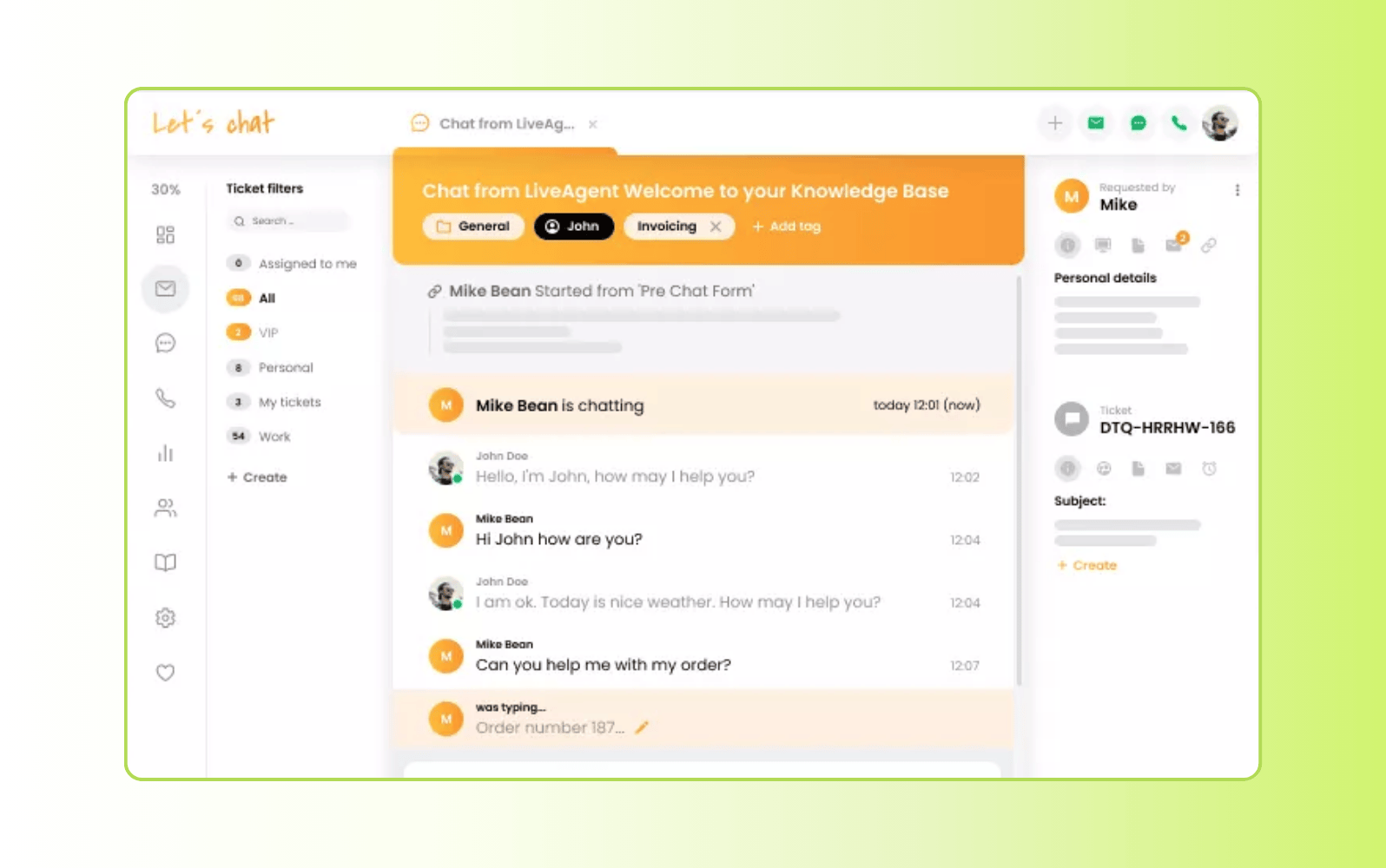
LiveAgent combines live chat with help desk, ticketing, email, and voice capabilities. Its features include ticket management, workflow automation, reporting, and multilingual chat widgets. The platform has a free basic option, with paid plans adding more advanced capabilities. Free trials range from 14 to 30 days depending on the plan.
Pros | Cons |
|
|
What people are saying:
- “LiveAgent's features give me the exact control and conditional rules I need to handle workflows.” – Verified user, G2 review.
- “The ability to categorize tickets by support department or project made it easy to quickly identify and route tasks to the appropriate party.” – Verified user, G2 review.
- “LiveAgent is overall good but sometimes it feels a little slow when there are too many tickets open, and the mobile app could be smoother than it is.” – Verified user, G2 review.
Learn more: Compare Zendesk vs. LiveAgent.
4. Tawk.to
Best for free, entry-level chat
Starting price | Free trial | Key features |
Free (paid add-ons available) | Not applicable |
|
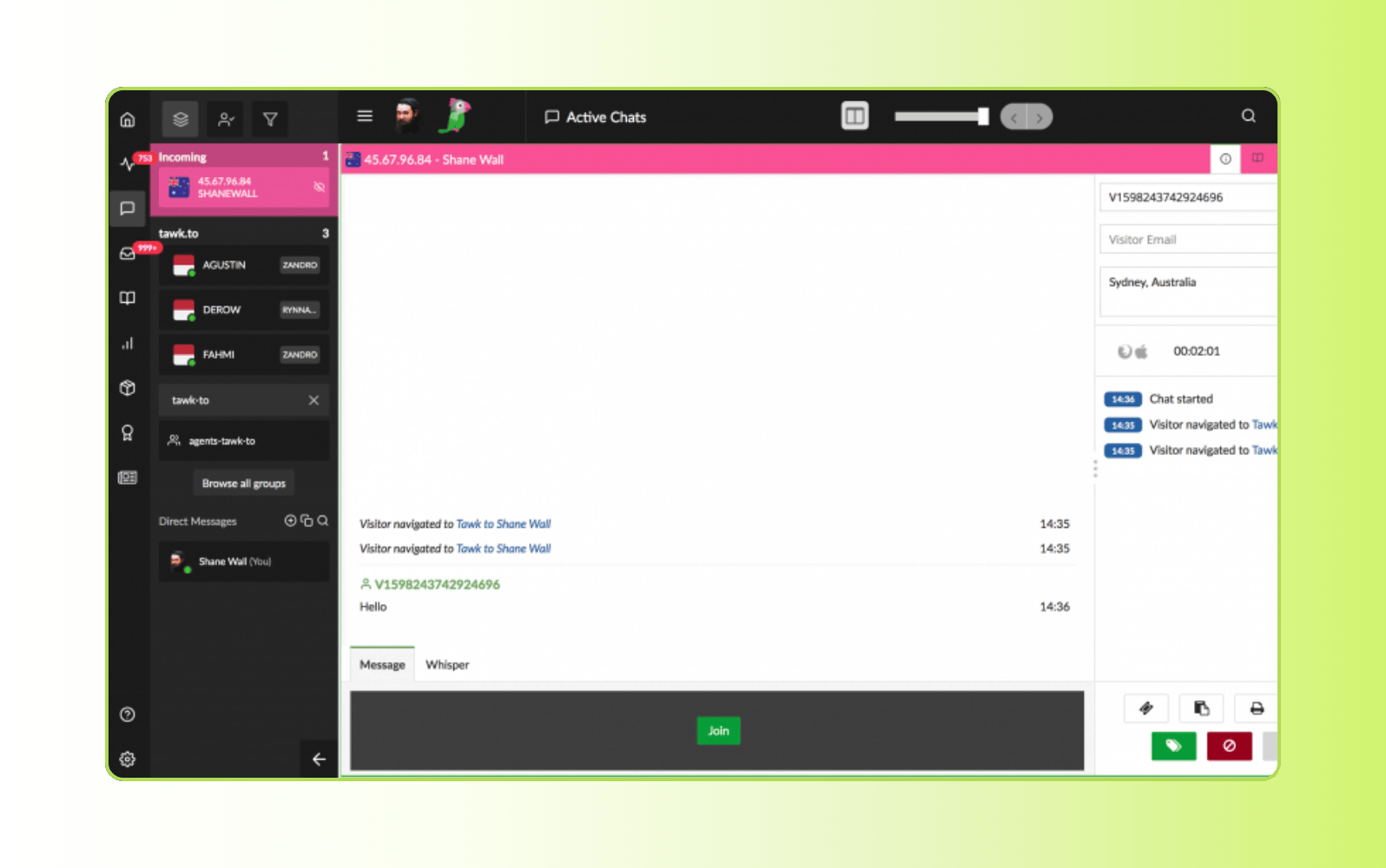
Tawk.to provides free live chat for business websites, along with visitor monitoring, basic ticketing, conversation history, and reporting. The core platform is free, with paid add-ons available. It is designed for businesses that need basic live chat without a subscription fee.
Pros | Cons |
|
|
What people are saying:
- “The chat is effective. It has everything you would expect in a chat. I am able to answer customers' questions and address any other concerns they may be having.” – Verified user, G2 review.
- “Tawk.to is easy to use and you can start using it without any hassle. The most important thing is it's completely free” – Verified user, G2 review.
- “The triggers misfunction sometimes. The visitors of our website can receive triggers even in the night time when we cannot answer them.” – Verified user, G2 review.
5. Re:amaze
Best for ecommerce storefront support
Starting price | Free trial | Key features |
$13.05 per team member/month (billed annually) | 14 days |
|
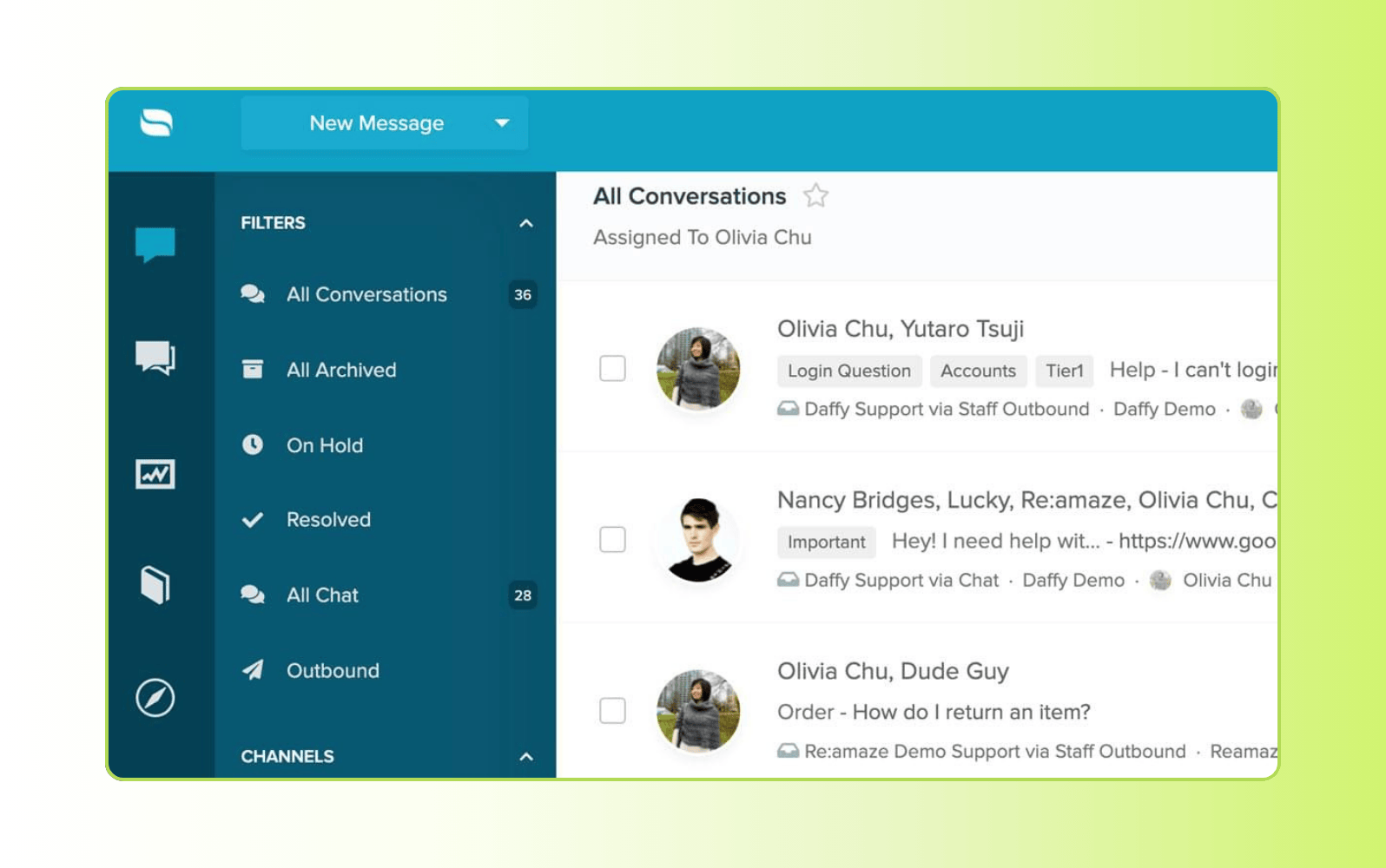
Re:amaze combines live chat with a shared inbox and customer communication tools for ecommerce businesses. It supports integrations with platforms such as Shopify, BigCommerce, and WooCommerce, along with multi-brand support and workflow automation.
Pricing starts at $13.05 per team member per month when billed annually, with a 14-day free trial.
Pros | Cons |
|
|
What people are saying:
- “I really like how easy the platform is to use and that it has the ability to answer text messages” – Verified user, G2 review.
- “It is a good help desk software that can help a company to better serve customers and improve the conversion rate.” – Verified user, G2 review.
- “Reporting data points are lacking and workflows do not allow for us to assign content as needed to work efficiently” – Verified user, G2 review.
6. Tidio
Best for small businesses using chatbots
Starting price | Free trial | Key features |
Free for individuals or $24.17 per month (billed annually) | 7 days |
|
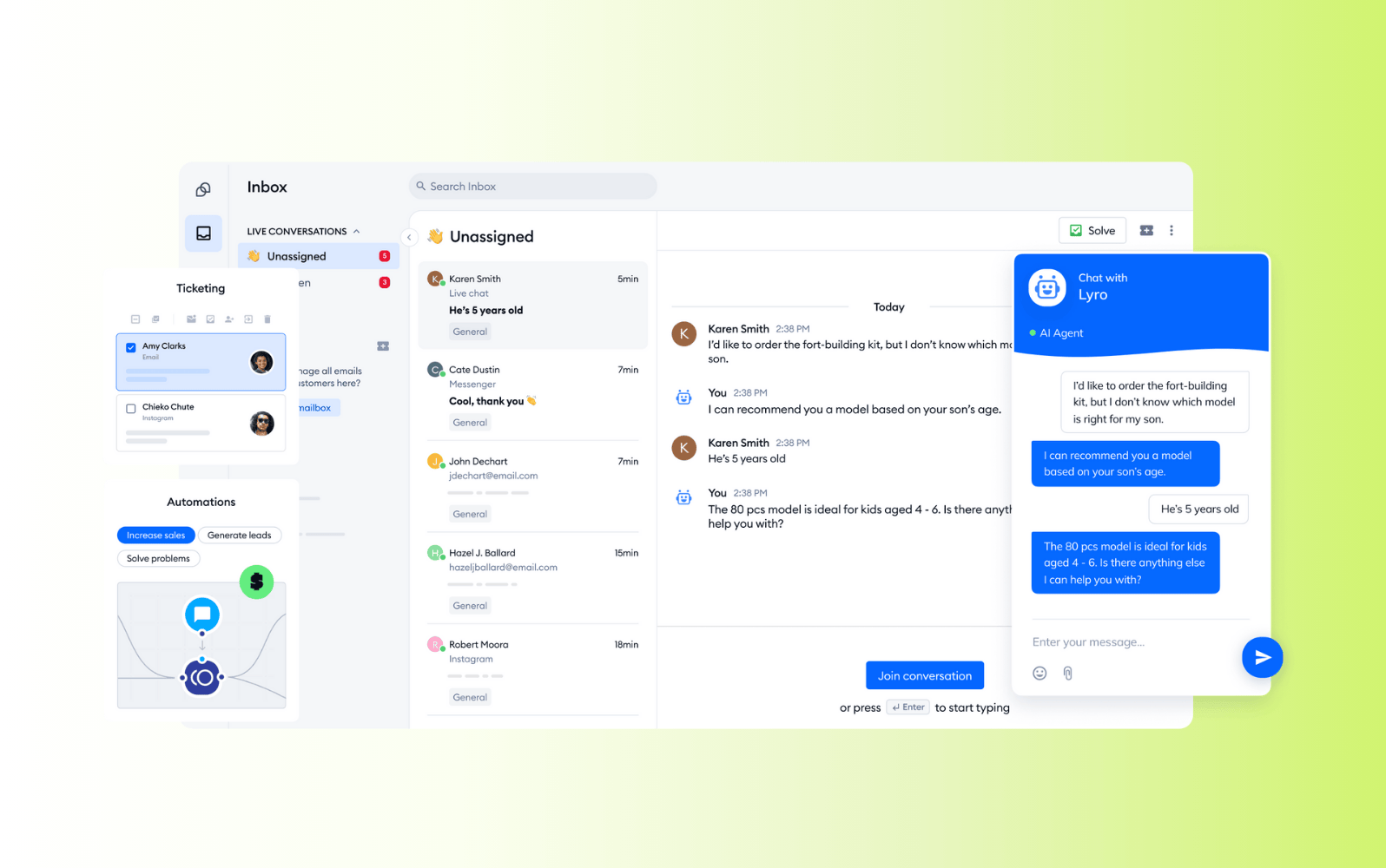
Tidio combines live chat with chatbot and automation tools, with features including a visual chatbot builder, workflow automation, and email and messaging integrations. It offers a free option for individuals, while paid plans start at $24.17 per month when billed annually. Tidio also offers a 7-day free trial for paid plans.
Pros | Cons |
|
|
What people are saying:
- “The inbox layout makes it easy to follow conversations, and the chatbot handles basic questions accurately” – Verified user, G2 review.
- “It helps streamline customer communication and saves time. My only real dislike is that some advanced automation or reporting tools are available only on higher-tier plans.” – Verified user, G2 review.
- “The implementation into the website does require a moderate amount of technical knowledge. Additionally, the add-ons can accumulate costs quickly.” – Verified user, G2 review.
7. Hubspot
Best for teams using Hubspot CRM
Starting price | Free trial | Key features |
$15 per agent/month | 14 days |
|
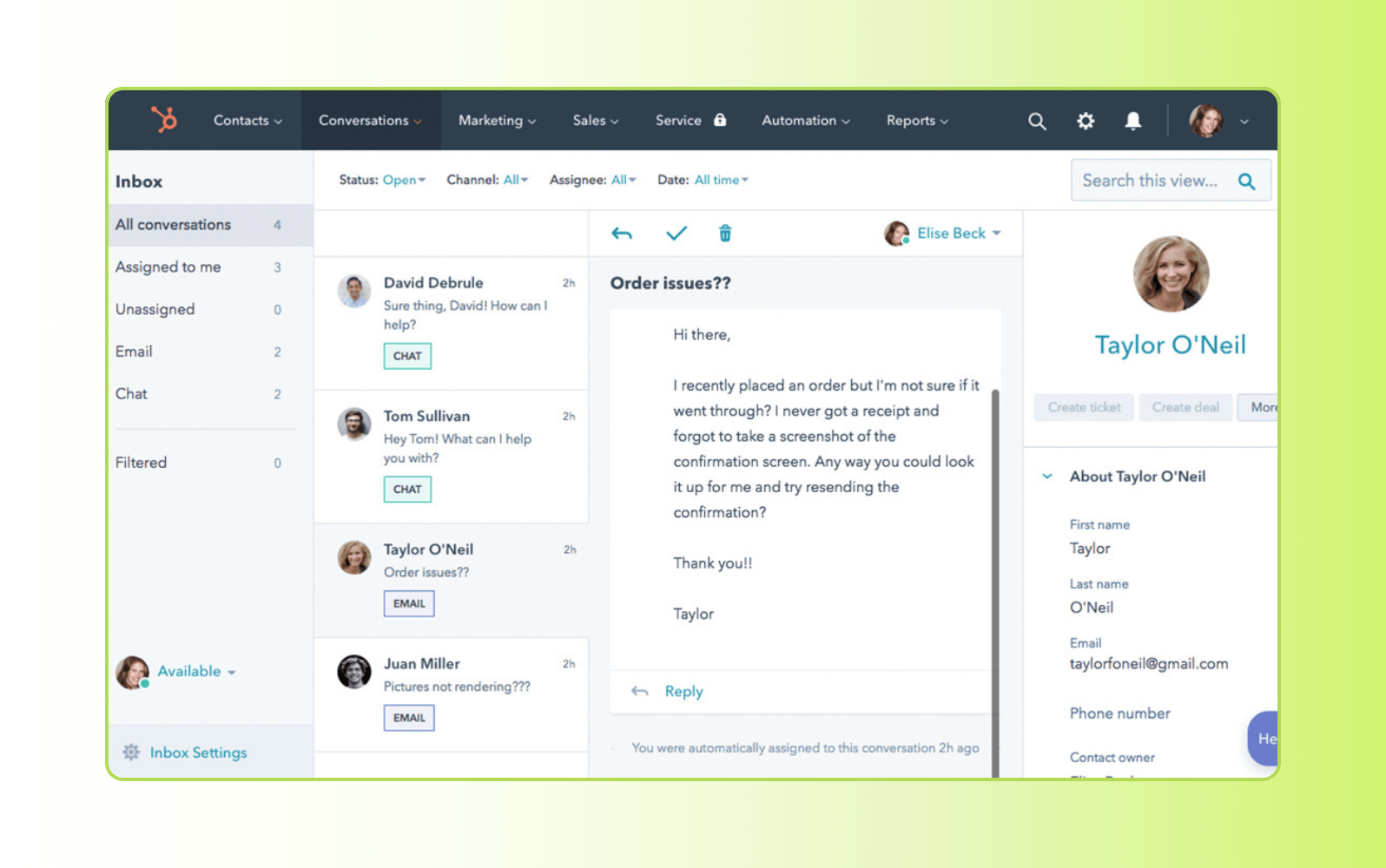
HubSpot offers live chat as part of its broader CRM and service platform. It connects conversations with customer records and includes a shared inbox, conversation reporting, and chat automation.
Pricing starts at $15 per agent per month, with a 14-day free trial. More advanced service and automation capabilities are available through higher-tier plans.
Pros | Cons |
|
|
What people are saying:
- “The platform offers dependable features that ensure our interactions run smoothly. It is user-friendly and easy to implement” – Verified user, G2 review.
- “HubSpot Service Hub centralizes customer requests from various channels into one inbox, and its ticketing system prioritizes support automatically.” – Verified user, G2 review.
- “The service hub is an all in one that has helped us respond more efficiently to customer and consumer questions and comments” – Verified user, G2 review.
Learn more: Compare Zendesk vs. Hubspot.
8. Olark
Best for straightforward website chat
Starting price | Free trial | Key features |
$29 per month | 14 days |
|
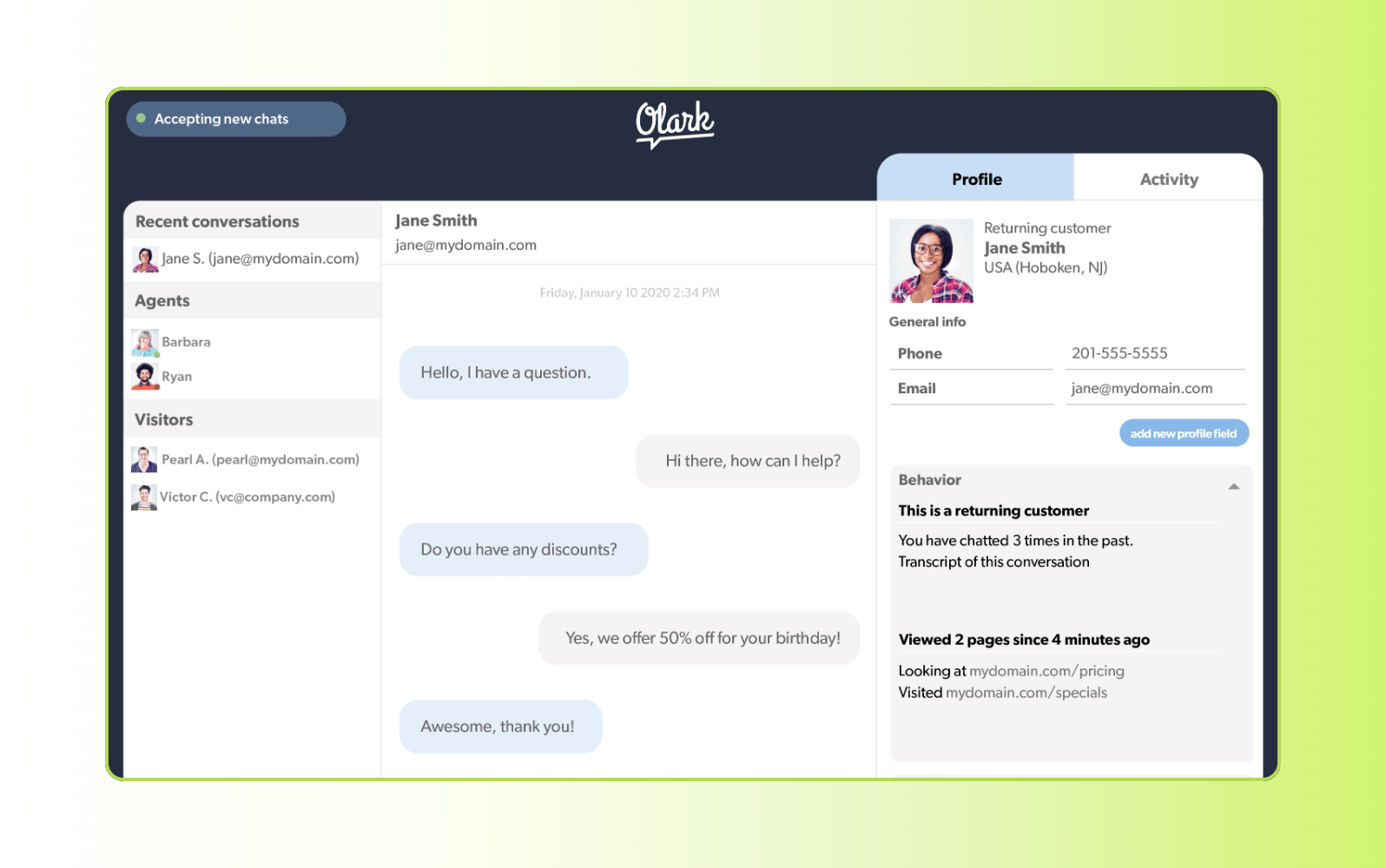
Olark is a website live chat tool designed for businesses that want a simple chat widget. It includes automated greetings, chat transcripts, visitor information, and integrations. Pricing starts at $29 per month, with a 14-day free trial. It is primarily geared toward straightforward website chat rather than complex support workflows.
Pros | Cons |
|
|
What people are saying:
- “Olark offered the basic features that you'll need for your business to start chatting with customers on your website. It has an easy-to-use interface.” – Verified user, G2 review.
- “I like that people can easily ask me sales questions through our main website. This allows better ways to serve customers during the sales process.” – Verified user, G2 review.
- “Olark is by far the cheapest option out there. They don't have a lot of things build in for automation such as high quality chat bots etc.” – Verified user, G2 review.
Learn more: Compare Zendesk vs. Olark.
9. ProProfs Chat
Best for basic chat and lead capture
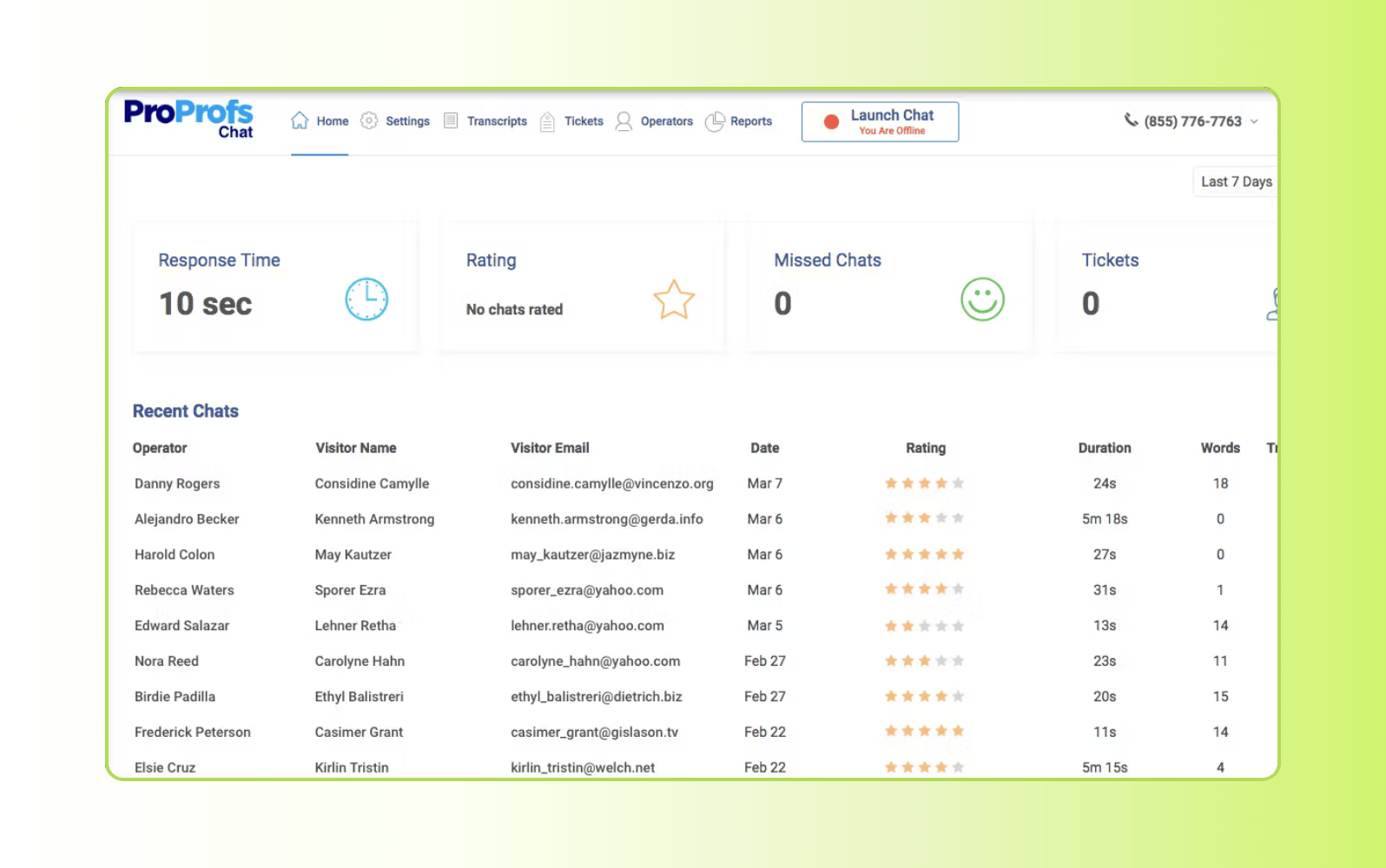
Starting price | Free trial | Key features |
$19.99 per operator/month | 15 days |
|
ProProfs Chat helps businesses engage website visitors through live chat, with features such as canned responses, visitor tracking, chat routing, and basic reporting. Pricing starts at $19.99 per operator per month, with a 15-day free trial. It also integrates with other ProProfs tools, including help desk and knowledge base products.
Pros | Cons |
|
|
What people are saying:
- “We like how it has been helping us to become more proactive with each visitor who shows potential of becoming our product buyer.” – Verified user, G2 review.
- “ProProfs Chat is a valuable tool because it allows me to talk to my customers quickly and easily. It is also user-friendly and easy to set up.” – Verified user, G2 review.
- “We’ve been able to understand where do we lack in terms of services and help our agents receive training accordingly.” – Verified user, G2 review.
10. Pure Chat
Best for entry-level live chat
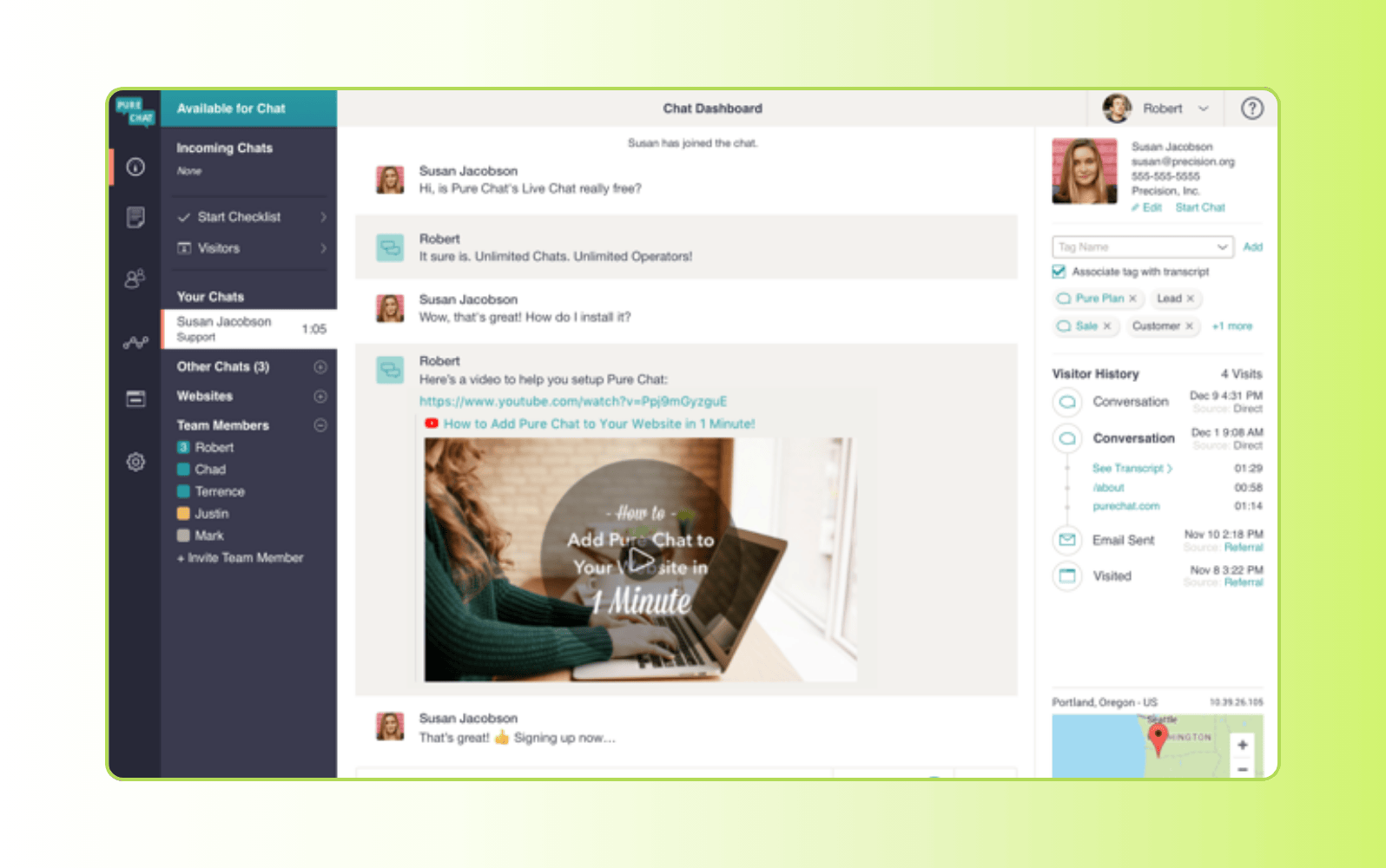
Starting price | Free trial | Key features |
$39 per month | 15 days |
|
Pure Chat provides a simple website chat widget with visitor tracking, chat transcripts, analytics, customization, and integrations. Pricing starts at $39 per month, with a 15-day free trial. The platform is aimed at small teams that need core live chat functionality.
Pros | Cons |
|
|
What people are saying:
- “Extremely user-friendly. As our business grew Pure Chat didn't grow with us in terms of the reporting that we needed.” – Verified user, G2 review.
- “Pure Chat is easy to set up and works great on both desktop and mobile devices. I don’t like the unresponsiveness of the support team when there is a problem.” – Verified user, G2 review.
- “Its interface is quite easy to use and incorporate into other applications. It tends to disconnect from chat a lot, so I have to constantly log in to keep touch with clients.” – Verified user, G2 review.
11. Intercom
Best for messaging-first customer support
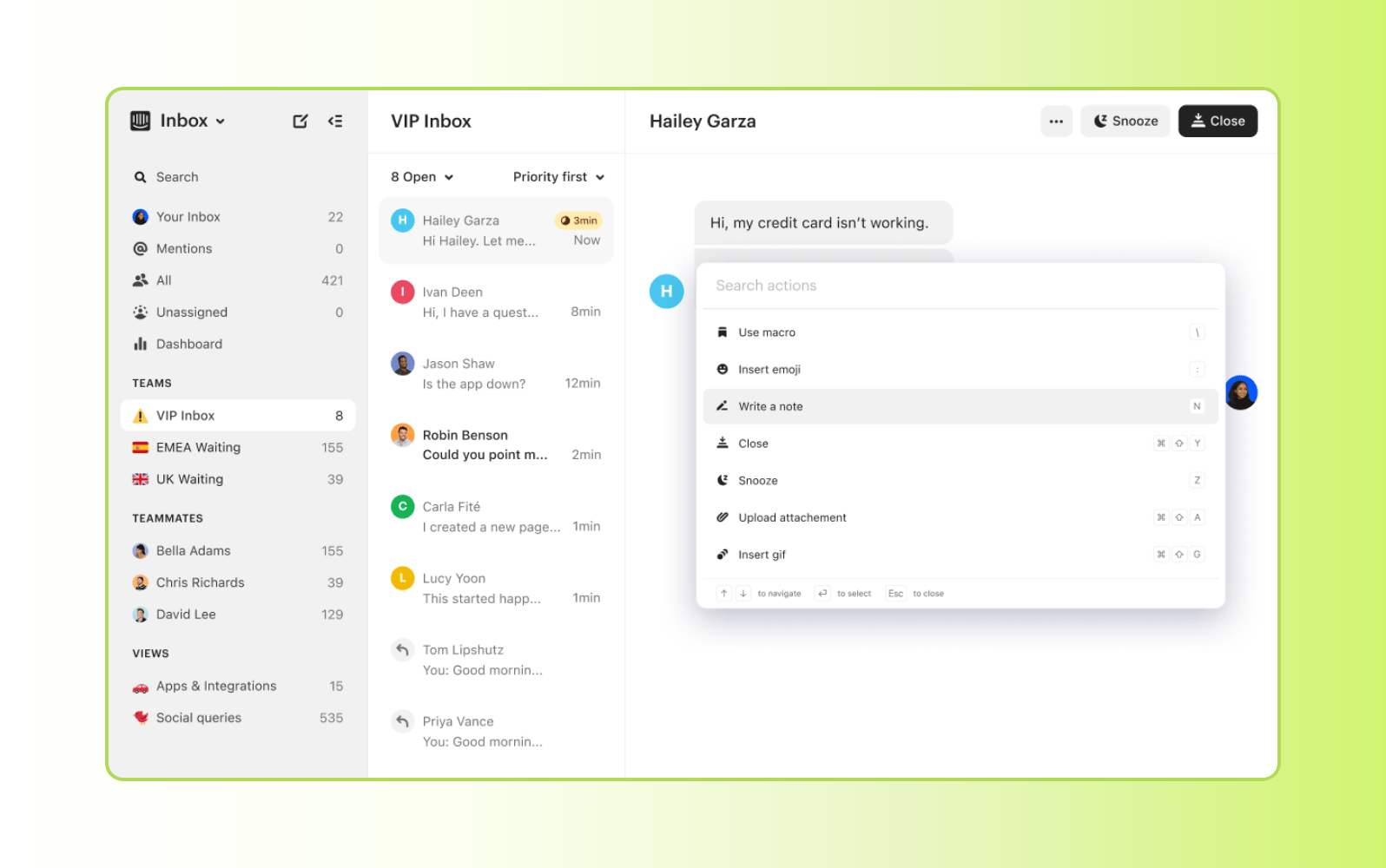
Starting price | Free trial | Key features |
$39 per seat/month | 14 days |
|
Intercom is a customer messaging platform built around a shared inbox, automated workflows, chatbots, and AI-powered support. It is commonly used by SaaS and product-led businesses that prioritize messaging throughout the customer lifecycle.
Pricing starts at $39 per seat per month, with a 14-day free trial. Its pricing model combines seats with usage, making cost dependent on how the platform is used.
Pros | Cons |
|
|
What people are saying:
- “It’s easy to set up, works natively across channels, and does a strong job handling common, repetitive questions. The main downside is the pricing model.” – Verified user, G2 review.
- “It's relatively easy to set up and if your knowledge base is strong and optimized for AI, you can expect very good results. The cost can quickly add up as you are being charged by resolution.” – Verified user, G2 review.
- “It delivers high-quality, on-brand AI support at scale. While powerful, it can feel restrictive and costly depending on your team’s needs and scale.” – Verified user, G2 review.
Learn more: Compare Zendesk vs Intercom.
What features should live chat software include?
To ensure consistent customer communication and satisfaction across channels, consider these essential features of live chat software.
- Omnichannel routing: Prioritize widgets that provide support across various channels, including email, social media, instant messaging sites, and more.
- Multilingual customer support: Service a global audience by investing in translation tools or multilingual agents.
- Live chat canned responses: Agents can use live chat canned responses to speed up interactions, keep messaging consistent, and resolve customer issues accurately.
- Feedback channels: Collect opinions and customer satisfaction (CSAT) scores to measure performance, identify areas for improvement, and build customer trust.
- Transcripts and archives: Record and store conversations for agent training, quality checks, and customer self-service.
- Security: Protect sensitive customer data, privacy, and adhere to compliance regulations with security like advanced customer data and privacy protection from Zendesk.
With these features, your business can provide helpful, accurate solutions to customers—no matter what channel or language they use.
What are the benefits of live chat software?
Live chat software helps teams deliver faster, more convenient support, while meeting customers where they are. By enabling real-time conversations across digital channels, it improves service efficiency, supports revenue goals, and helps teams scale without adding complexity. Here are some of the key benefits of live chat software.
Resolve customer questions faster
Live chat gives customers immediate access to support, eliminating the wait for an email response or phone callback. Real-time conversations help reduce wait times, accelerate issue resolution, and improve the overall customer experience.
Provide personalized support at scale
Live chat platforms combine customer history, conversation context, and AI-powered assistance to help agents deliver more relevant, personalized responses. A centralized view of every interaction enables consistent support across channels and touchpoints.
Offer 24/7 customer service
AI agents and self-service tools can resolve common questions outside business hours and escalate more complex requests to human agents when needed. This helps businesses provide continuous support without requiring around-the-clock staffing.
Improve agent efficiency
Automation, intelligent routing, canned responses, and unified workspaces reduce manual work and help agents manage multiple conversations simultaneously. These capabilities improve productivity while allowing teams to scale support more efficiently.
Increase conversions and customer loyalty
Proactive live chat helps businesses engage customers when purchase intent is high, answer questions before they become obstacles, and reduce friction throughout the buying journey. Faster, more personalized support can improve customer satisfaction, encourage repeat business, and increase conversion opportunities.
How to choose the right live chat software
When it comes to providing live chat support, there are plenty of live chat apps to choose from. The live chat software that’s right for you depends on your growth plan, desired features, customer base, and more. For example, if you have a website supported by a WordPress engine, you’ll need to choose live chat software that can support WordPress chatbots.
Here are a few common factors to consider when selecting the best live chat services:
- Integration support: To get the most out of your live chat software, it must integrate with the rest of your business ecosystem. The Zendesk Marketplace boasts more than 1,700 plug-and-play integrations that empower and support service teams.
- Ease of use: Choose a solution like Zendesk that’s intuitively designed with agents in mind. This allows your team to spend more time helping customers and less time understanding complex software.
- Scalability: The ideal live chat software can scale with your business so you don’t have to worry about upgrading your plan or switching to a new solution as your support team and customer base grows.
- Total cost of ownership (TCO): Live chat software like Zendesk considers the TCO of CX, sets up fast, and works right out of the box with no hidden costs to enable teams to continue providing stellar service without missing a beat.
- AI: The best live chat software includes AI capabilities to help your business streamline processes and do more with less. With our cutting-edge AI technology, Zendesk can intelligently anticipate customer needs, promote self-service support, and provide instant answers using natural human language.
By keeping these five factors in mind, your business can land on a live chat solution that holistically benefits your organization for years to come.
Frequently asked questions

Uber + Zendesk: Scaling through millions of trips since 2010
“Zendesk's ability to grow with Uber as we launched cities, scaled products, and built our support organization has been key to our customer service success story.”
Michael Mizrahi
Community Operations
Read customer story
Invest in powerful live chat software
It’s time to bring your support into the modern era and meet your customers where they are with live chat software. With a customer messaging solution like Zendesk, you can quickly deploy, integrate, and scale your software alongside your existing tech stack. Plus, Zendesk works out of the box—no developer resources necessary—saving you time and money. Try our live chat software and improve your CX from day one.
Jeremy Korman
Group Manager, Product Marketing
Jeremy Korman is a product marketing leader who thrives at the intersection of storytelling, technology, and customer empathy. He began his career in chemicals manufacturing before becoming a technical support engineer at a company that provided real-time data infrastructures for Fortune 500 industrial firms. There, Jeremy got his first taste of the customer service world—helping clients in energy, manufacturing, and other heavy industries solve complex problems. As a team lead, he trained agents, managed nonstop calls and emails, and developed a deep respect for the people Zendesk serves today. At Zendesk, Jeremy leads a team of product marketers helping bring the latest in AI technology to market, making it easy for customers to understand and adopt new innovations. Whether it’s teaching his grandma how to email on an iPad or guiding a team of seasoned agents through building better analytics dashboards, Jeremy loves showing people how to leverage technology to work smarter and simplify everyday life.
Related live chat software guides
Our live chat guides help fill in the blanks about live chat support and messaging software.
Related posts

Work smarter: Live chat best practices
As with any communication channel, there’s a right way and a less effective way to offer…

Live chat support 2026: benefits & best practices
Learn best practices for live chat support, how it can help you provide better customer experience, and why it's a valuable customer service tool

How to create a great customer experience with chat support
Customer service chat software can help you deliver a better customer experience

6 best practices for chat etiquette
Communicating via live chat is different than interacting with a customer in person, over the phone,…